Rooms and travel
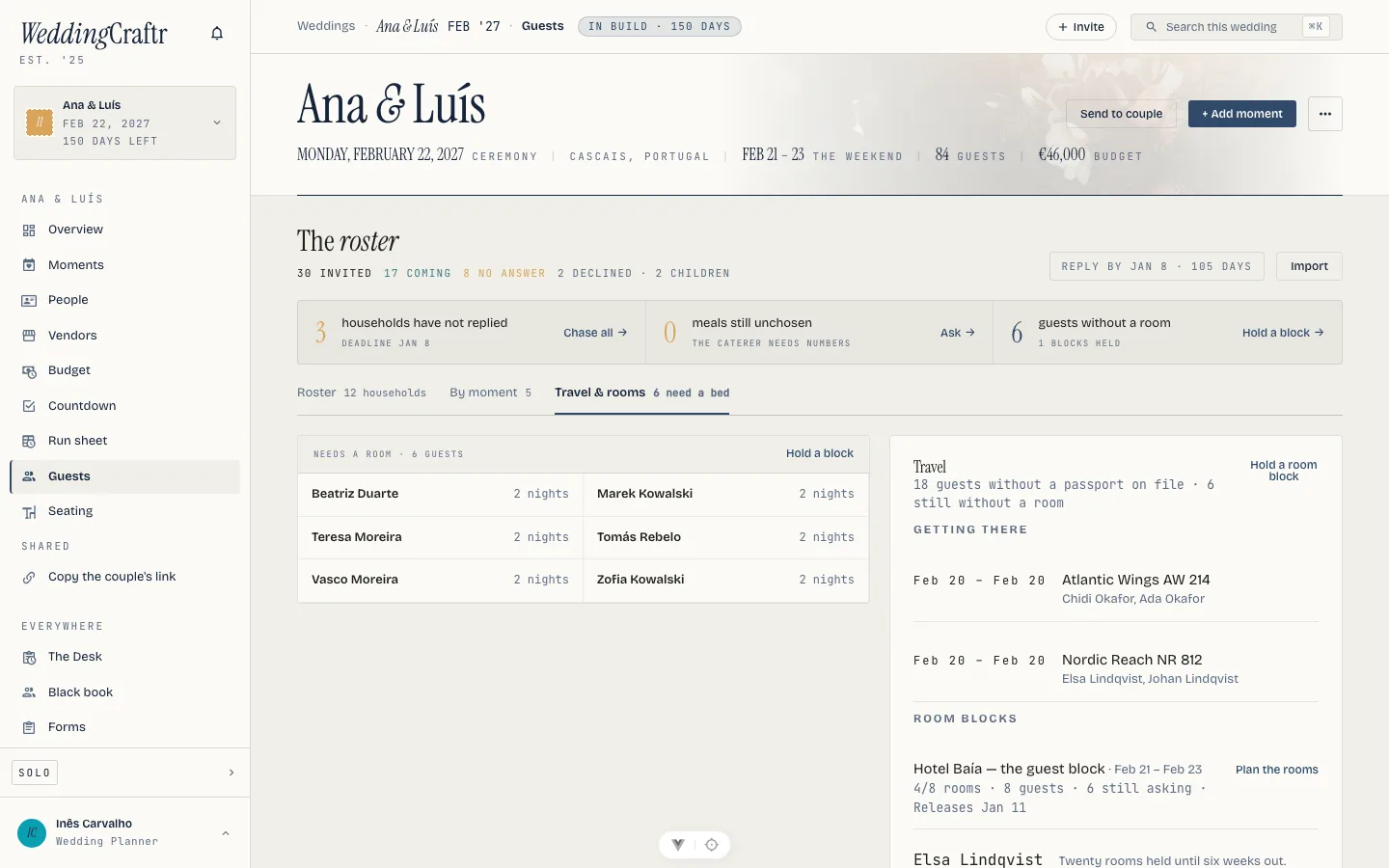
A wedding away from home puts guests on flights and in hotels, and somebody has to know who is sleeping where. Travel is a panel inside the roster rather than a screen of its own, and the room block is where it earns its keep.
Travel is one of the modules unlocked by your planner subscription. See Plans and billing.
The travel panel#
Open it from the roster. It shows the flights your guests are on, drawn from the wedding's own itinerary so the couple's own flights stay out of it, the room blocks you are holding, and how many passports are still missing from the details requests described in Guests.
Room blocks#
A room block is an ordinary accommodation item with a hotel, dates and a note, written through the itinerary form the wedding already has. The block is what a guest sees named on the reply page when they are asked whether they need a bed, so a wedding holding no block asks nobody about rooms.
Rooms in the block#
Open a block and it holds rooms. Each one has a label the front desk would recognize (Room 101, the Garden Suite), how many it sleeps, and dates of its own when they are not the block's.
The block carries one date more, Releases: the day the hotel takes back whatever you have not filled. Three numbers sit across the top of it, rooms filled against rooms held, guests placed, and how many are still asking, which is what you take into that phone call. A guest is counted as placed wherever they sleep, so somebody in the second hotel does not turn up as still asking in the first.
Fill from answers#
Fill from answers seats the guests who said they need a room. It works by household, so the people who answered together land in one room, and it will not split a household across two: a room that cannot take all of them is passed over for one that can. Anyone you placed by hand stays where you put them. What it could not seat, it names, rather than quietly leaving them out.
The block is seated by you: the couple's own press at it is refused.
Lorenzo does the same pass from chat. "Fill the rooms at the Quinta" seats the households who asked, largest first, and names the ones no room was big enough for. "The block goes back on the first of May" sets the release date and starts the two reminders that come with it. See Lorenzo.
The hotel's list#
The hotel's list is the CSV the reservations desk asks for a couple of weeks out. One row per guest, with the room, their name, the dates, the nights, the household they belong to and anything they cannot eat. Nights come from the room's own dates, or the block's, or what the guest asked for, in that order.
A room you are holding with nobody in it prints as well, as a row with the name column empty, because an empty room is what the call with the hotel is about. The headers come out in your language.
On the phone#
The rooms are on the phone too, one block at a time: put someone in, take them out, fill from answers, and share the same list from the share sheet. Setting the release date works there as well, which is the date you are usually told on a site visit rather than back at the office. See The phone app.
The reminder#
A block that releases is money as surely as an invoice is. Rooms nobody is in on the release date go back to the hotel, and the guest who books one the week after pays what the hotel is asking then. So the release date mails you and your team a week before and again the day before, on the same schedule and the same two dates as a payment falling due. See Settings and email.