The budget
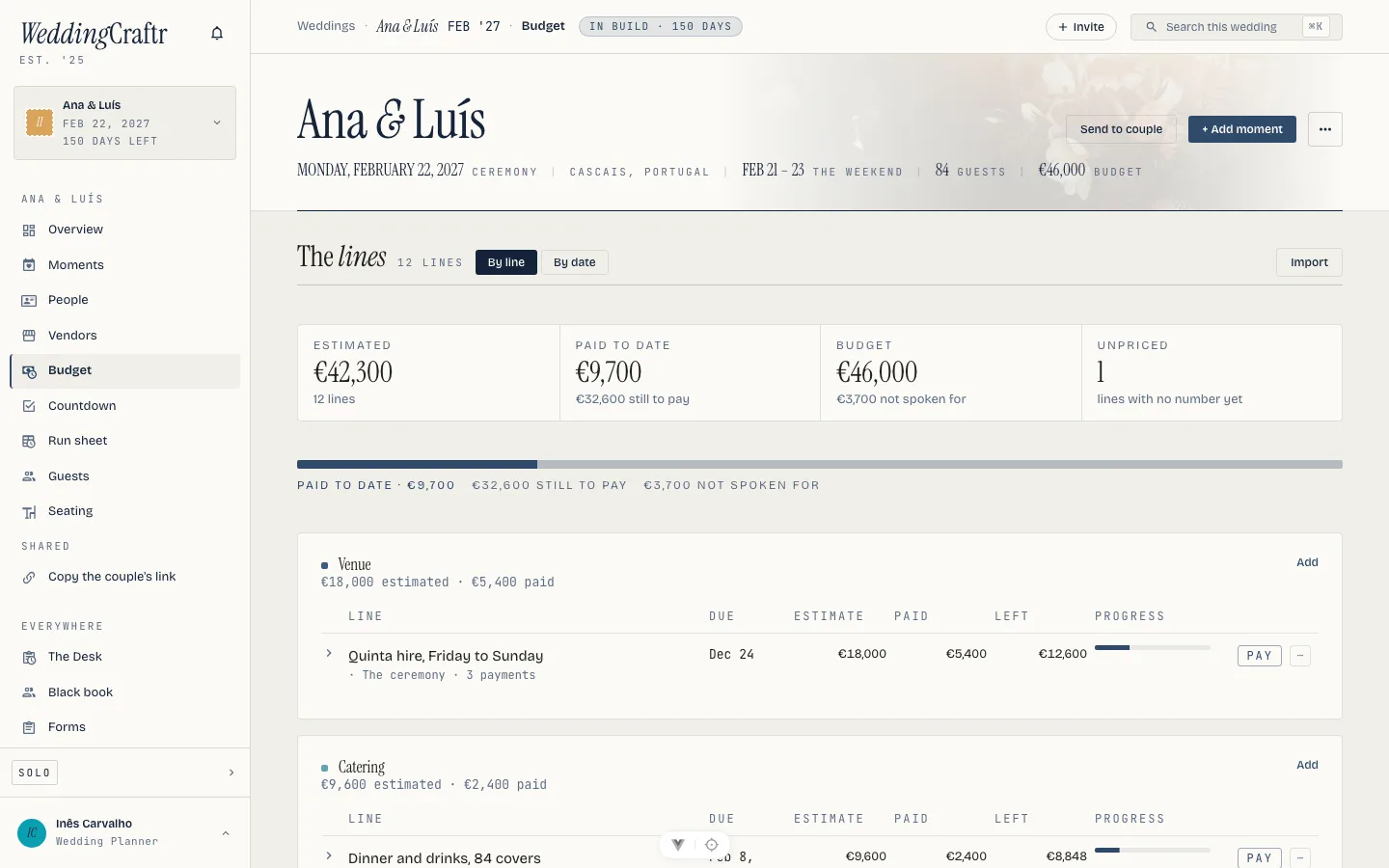
The budget is one table: what each line should cost, when each part of it falls due, and what has actually gone out the door. Paid and left are never typed, because they are the sum of what has gone through the wedding's ledger.
The table#
One row a line: category, what it is, the estimate, the vendor, a schedule, paid, and what is left. The first four you fill in. Paid and left are never typed. They are derived from the payments the ledger holds, however those payments arrived.
Paste is primary here too. One a line: category, what it is, the estimate,
and a date as 2027-06-12 if it is due. The money cell reads both thousands
conventions. The date cell takes dates as year-month-day, which read the same
everywhere. Import CSV… and the workbook's Budget sheet go through the
same preview; see One file, the whole
wedding.
Sections#
Lines sit in sections: a part of the wedding, picked from the library (venue, catering, florals, music, videography, cake and the rest) or named by you ("Late bar"). Start from the guide lays one section out for every part of the wedding, each with its usual share of the budget; Add a section makes one at a time. Drag a line to move it into another section, or press Move on the phone and pick one. Sections reorder the same way, and folding one away hides its lines on this device only, so the person next to you keeps their own view.
The category you typed before sections existed is not lost: a category outside the library becomes a section named with your words.
The guide and targets#
With the couple's budget set, every section shows a suggested target, its share of that budget, marked n% of your budget. Type a target and yours wins; clear it and the suggestion returns. Turning the guide off hides every suggestion at once and changes nothing you typed.
Items inside a line#
A line can break down into items: twelve centrepieces at 85. While a line has items, its estimate is their sum and the estimate field says so. Removing the last item keeps the last sum, because un-itemising a line is not the same as pricing it at zero.
Estimate, actual and paid#
Six figures read the same on a line, a section and the whole budget, on the web, on the phone and in the PDF:
- Target: what the couple said the day would cost.
- Estimate: the lines added up, tax and gratuity included.
- Actual: what is committed. A vendor's invoices where there are any, otherwise the contracted total you typed on the line, otherwise blank.
- Paid: what the ledger holds.
- Left to pay: what is expected less what is paid.
- Over or under: the estimate less what is expected. Negative means over.
Paid by you, owed by the couple#
When you pay a vendor yourself, switch Paid by you, owed back by the couple on in the expense. It still counts as paid on the budget line, because the vendor has been paid. The budget's Owed back to you card lists each such payment as owed, invoiced or repaid. Tick the owed ones and press Invoice these to put them on one invoice; once that invoice is paid they read repaid. A payment settled some other way takes Mark settled.
Vendor invoices and who pays#
A line can hold several vendor invoices. Add an invoice on a line, then drop the vendor's file (PDF or photo) onto the form: the invoice is read in the background and the form fills itself in, with any field the reader doubted outlined for you to check. Nothing is written until you press save; if the file cannot be read, the form stays empty and the file stays attached. The payment schedule the paper carries becomes dates on the line, which the due view, the calendar and the reminders already read.
Each payment date says who pays: you, or the couple directly. Only the couple's dates reach the couple, in their own reminders. A revised invoice is a new one with the old one voided; Void removes the dates nothing has paid and keeps the record and everything already recorded.
What the couple sees#
With the budget shared, the couple sees the sections and lines you have not hidden: estimate, actual, paid and left, the dates, who pays and the vendor's name, never sub-item prices, invoice files or what they owe you. Hide from the couple on a section or a line keeps it back completely, not as a row of zeroes. A partner who can also mark payments presses We paid this on a date that is theirs; it counts as paid at once and shows on your side as reported by them, for you to check.
Templates#
Save as a template keeps the whole sheet, sections, lines and items, under a name. Apply on another wedding adds only what that wedding is missing, so pressing it twice changes nothing the second time. Manage templates opens your library: build one before you have a wedding, duplicate it, archive it, or share it with your team.
Export#
The budget downloads as CSV, Excel or PDF from the same figures the screen shows. The PDF carries the couple's names, each section with its lines and items, and the budget's total.
Schedules#
A line carries its own schedule: a deposit, instalments and a balance, each with an amount and a date of its own. Tax and gratuity sit under the estimate too, both counted into what is left, so a couple who forgot the service charge sees it before the invoice does.
A milestone can be per head: priced as one amount times however many guests have said yes right now, to the line's moment when the line is pinned to one, otherwise to the busiest moment of the weekend. The caterer's balance on Ana & Luís's wedding moves as answers come in, and the mail about it says at today's count rather than pretending the number holds still.
Split 30/40/30 lays a deposit, one instalment and a balance out in one press: the deposit dated today, the balance a week before the ceremony, the instalment halfway between the two. A line you never scheduled is not stranded; what is owed reads as the whole line, less what the ledger already holds.
A schedule has its own sheet in the workbook: Schedule, with Line, Label, Amount, Due, Kind (deposit, instalment or final) and Per head, one row a milestone. Schedules and payments come only with the workbook, never as a lone CSV.
Paid, per milestone, is derived the same way the line total is: a payment recorded from a milestone settles that milestone; one that arrives another way, a forwarded invoice, a receipt Lorenzo read, settles the oldest unpaid milestone first.
Recording a payment#
Record a payment does not open a second form. It opens the wedding's own expense drawer, seeded with the next unpaid milestone: amount, currency, category, who paid, the split, a description, the date, merchant and payment method. Payments live in the ledger, so payers, splits and households all work the way they do everywhere on the platform. A payment the couple's parents made is theirs, split however the family agreed, and the budget still reads it as paid.
Every way into the ledger feeds the budget:
- Photograph the receipt on the phone, or upload it, and it arrives read, with merchant, date and total already filled.
- Forward the invoice to the wedding's own private address, shown on the inbox, and it lands as a document; one that reads as a receipt is offered to the ledger as a payment. See Documents.
- Tell Lorenzo: "Record the photographer's deposit."
The ledger itself is one page: every payment with its date, payer, category, amount and source, filterable by category, with edit and delete on each row you are allowed to touch. A household can name one of its own to touch every row it owes, not only their own entries. See People and the team. Everything is converted into the wedding's currency for the totals, originals kept verbatim.
Asking the couple to pay#
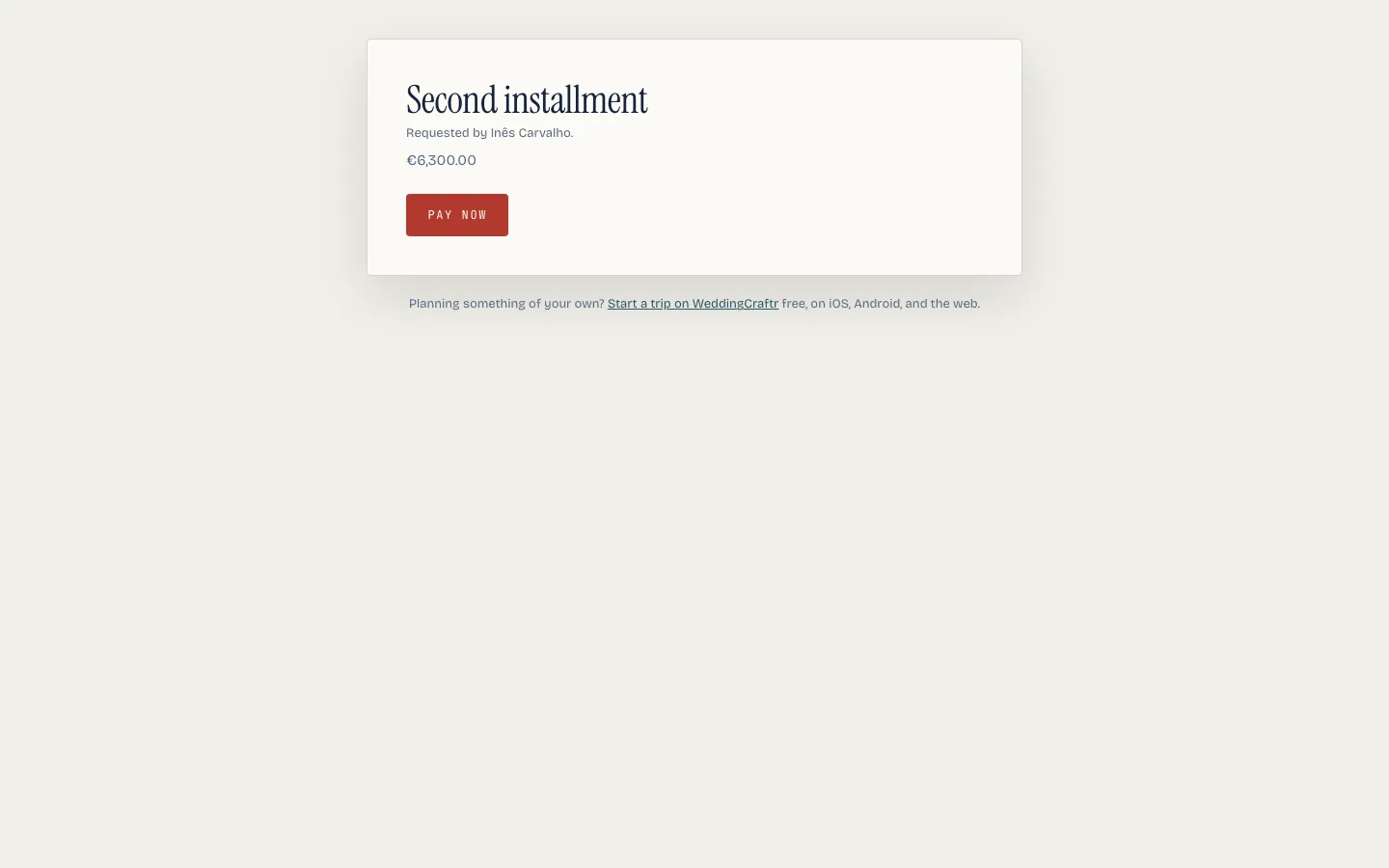
Where your plan can take a payment, a milestone with anything left on it carries Request payment. It mints a link to a page the couple pays on, priced at exactly what that milestone is owed right now, including a per-head line's live count, and carrying the milestone's own due date. The link is copied to your clipboard, to send however you reach them; nothing is mailed for you. Once it is paid, the budget's paid and left move the moment the couple pays, the same as a payment you record by hand.
Invoice this sits beside it on every planner plan: it opens a numbered invoice pre-filled with one line priced at what is owed today, which the couple's paying parent or an accounts department pays by transfer. Taking a card needs your own Stripe account connected, which every planner plan includes; without one connected, the invoice carries your bank details instead. Both are covered in Clients and getting paid.
The due view#
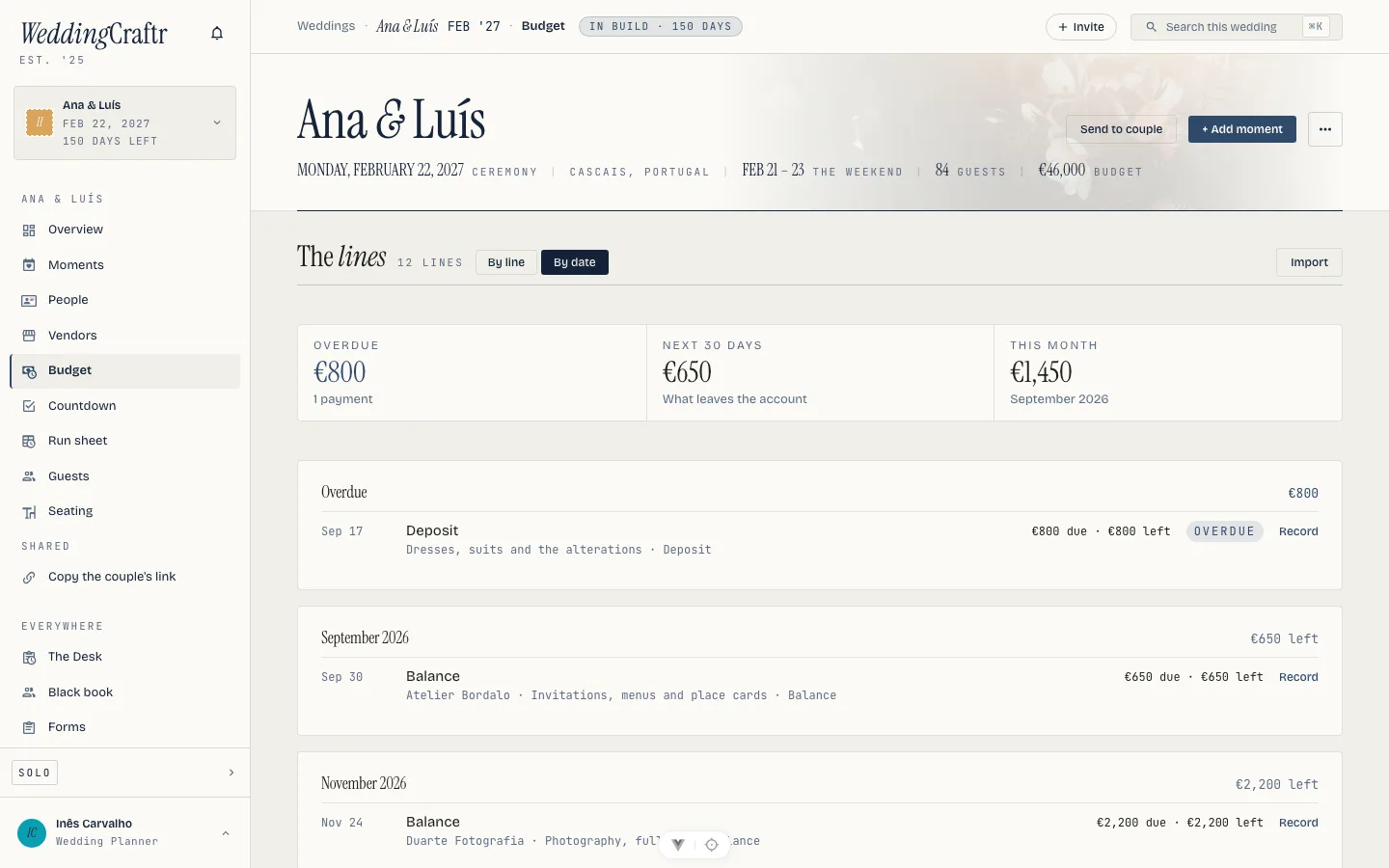
By date sits beside By line on the budget: every milestone on this wedding, across every vendor, in one list. Overdue sits on top no matter the month; the months that follow each carry their own total, so a look down the page reads like the wedding's cash flow. A strip across the top counts three numbers before you scroll at all: Overdue, Next 30 days and This month, the same figures the week ahead mail already tries to say in a sentence.
A per-head milestone shows the count it is priced at right now, so a balance that moved since Sunday's mail is not a surprise. Tap a line and it opens straight into Record a payment, seeded with that milestone. Anything nobody has dated falls to the bottom under No date yet rather than being dropped, which is where the balance you have not agreed a date for sits.
Both views are on the phone, the same By line and By date, so the money question answers itself away from the desk.
The same milestones feed the season board's Due this week panel and the two mails about money, a week before a milestone falls due and again the day before. See The season and Settings and email.
Getting the money out#
Exports live on the ledger, behind one Export button: a menu on the web, an action sheet on the phone. CSV is every row as the ledger is currently reading. PDF is the per-payer tally, shareable. A wedding with more than one household in the ledger, the couple and each set of parents, can also cut a cost sheet for one household, and a settle-up between two of them, as PDF or CSV: the tab between them, itemized both ways, and the single figure that closes it.
Reading receipts and writing new entries into the ledger ride the paid plans; on a lapsed plan the ledger stays readable and exportable, it just stops taking new writes. See Plans and billing.
The ceiling#
A wedding whose planner's subscription has lapsed holds twelve budget lines. Schedules, the due view and recording a payment stay open inside them, because they ride the budget every wedding has. When you reach the ceiling, the screen says so rather than hiding the button, and everything typed survives the upgrade. See Plans and billing.